


Courtroom Audio/Video Conferencing & Session Management.
NyayNet is a judiciary-centric COTS digital courtroom platform enabling secure audio-video conferencing for in-court and hybrid proceedings integrating AV infrastructure, remote participation, centralised control, recording, archival, and AI-ready capabilities, fully compliant with the Supreme Court Model Guidelines.
Purpose-Built Features
Every feature designed for the judiciary.
NyayNet provides secure, controlled, and compliant digital solutions designed specifically for judicial workflows.
Judicial Control Features
Start/Stop recording, Witness Masking, Restricted viewing access.
Authorized Remote Participation
Secure virtual participation for approved users through invitation-based access.
Integration with CIS Cause List
Seamlessly integrate with CIS Cause Lists to access case details, tagging, and efficient case-based search.
Configurable Live Streaming Delay
Delayed streaming to support content moderation and digital watermarking for distribution protection.
Court-Controlled Video on Demand
Searchable archive of recorded proceedings through a secure, court-controlled OTT platform.
Secure & Court-Controlled Platform
On-Cloud or On-Prem Infra., ensuring full control and data security.
Why NyayNet ?
Built for Courts. Designed for Judicial Workflows.
Generic video conferencing tools are designed for corporate meetings and require significant customisation to support judicial workflows.
ROLE-BASED ACCESS
One Hearing. Different Roles. Precisely Controlled Access.
Every screen is tailored to the user's role, providing the right information, controls, and access.
01 — PHYSICALLY PRESENT
In-Court Access
Devices physically present in the courtroom, the bench, the podium, the gallery display. Each configured for the person standing in front of it.
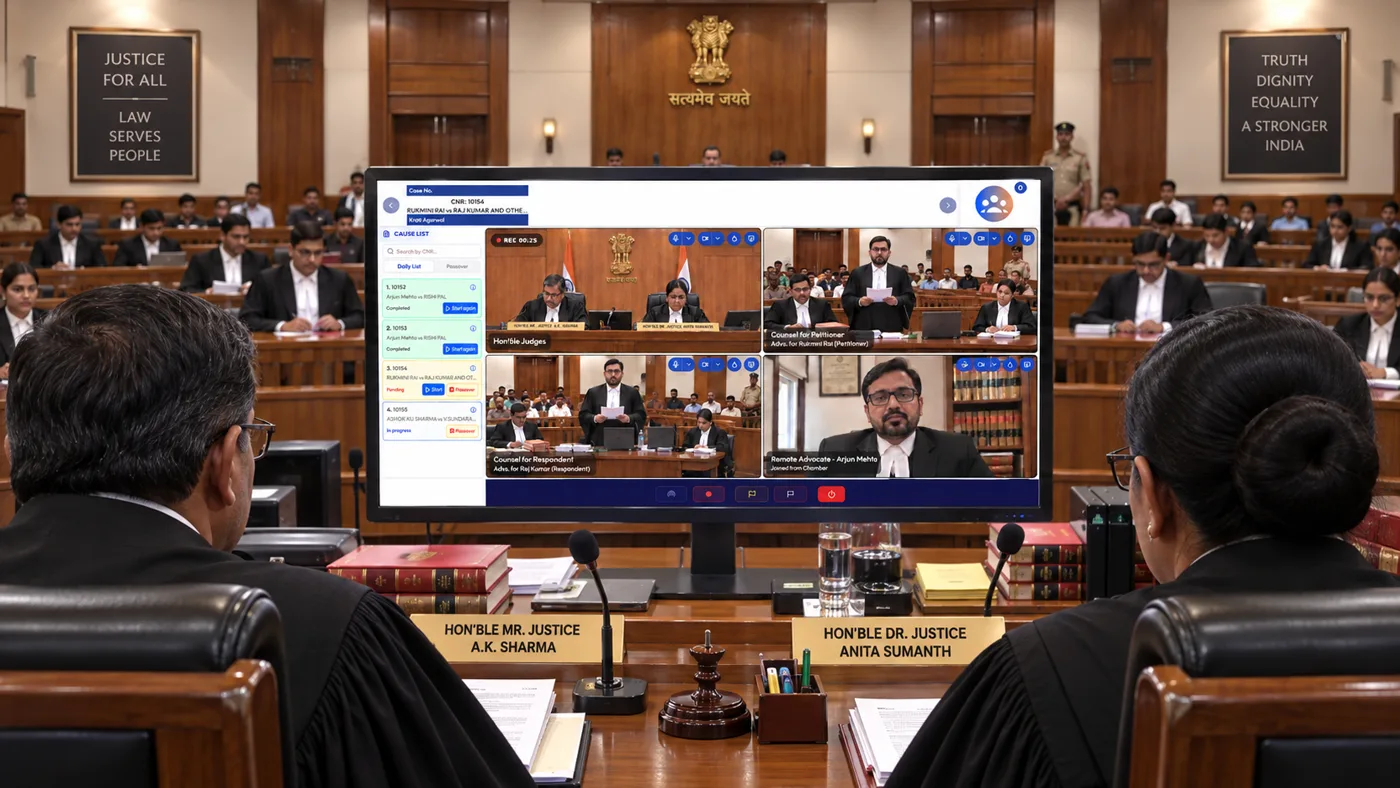
Judge Screen
The bench's control panel: cause list and case metadata (CNR) arrive from CIS automatically, alongside live participant tiles and full session controls.
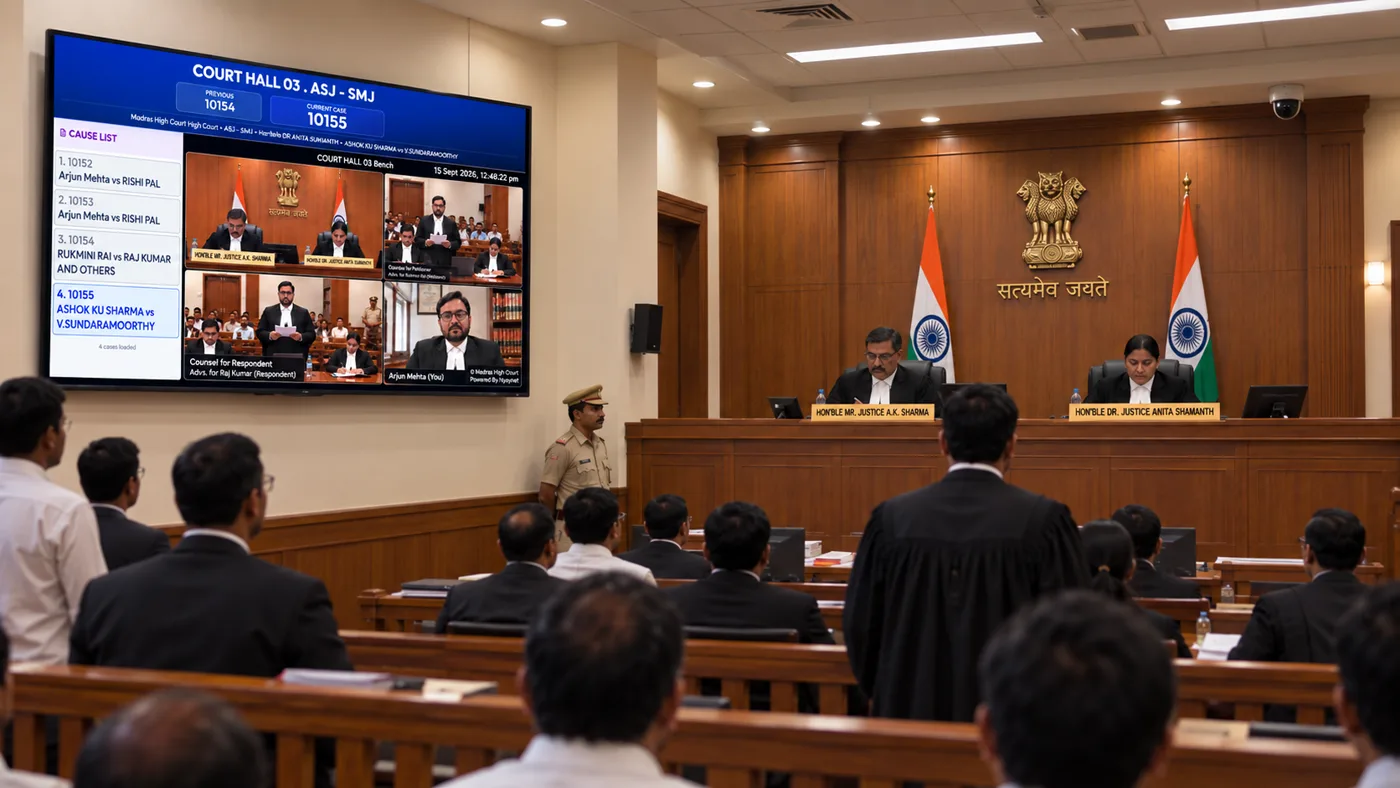
TV Display (In-Court)
The podium's display, for counsel arguing in person. Exhibits and case documents are one tap away.
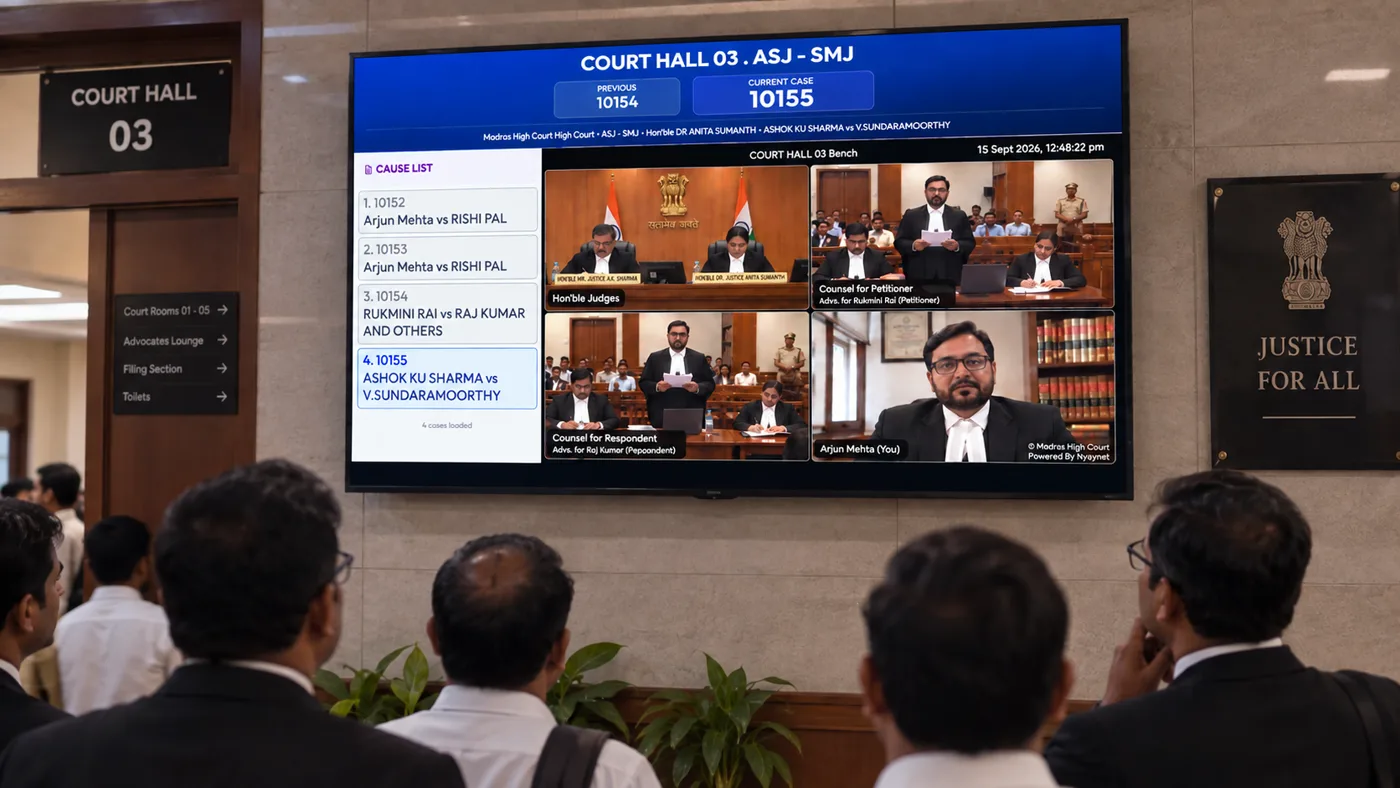
TV Display (Gallery / Corridor)
The screen mounted in the gallery or corridor, for anyone present in the building.
02 — CONNECTING REMOTELY
Remote Access
Access from anywhere with a connection. A witness who can't travel, or the public exercising their right to an open hearing.
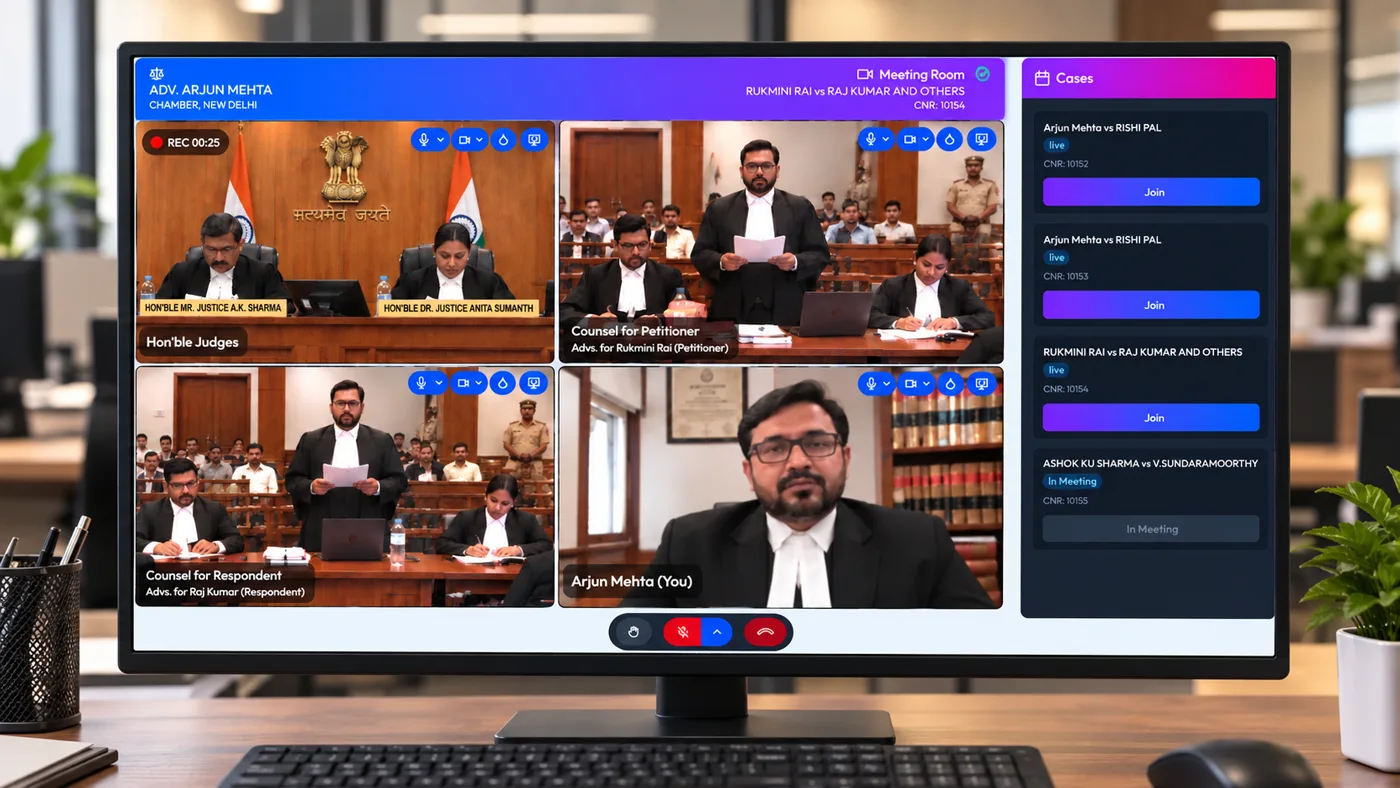
Remote Lawyer / Witness Screen
A verified video link for counsel or witnesses joining from outside the courtroom.
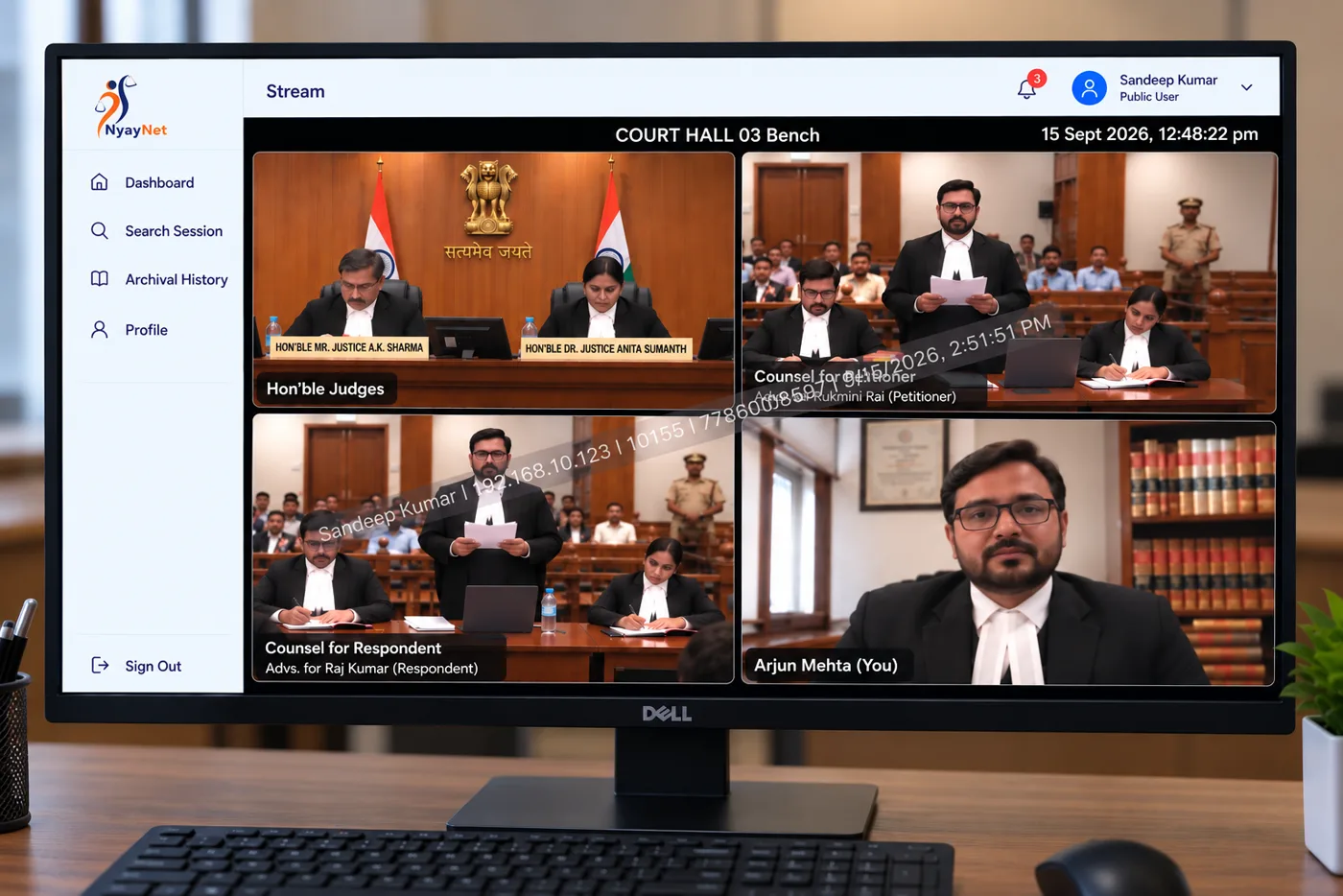
Public View / Live Stream
The open hearing, available to anyone watching from home. Audio and video only.
Get in Touch
Write to us for your requirements.
Our team responds within one business day to discuss your court's scale and compliance needs. All communications are strictly confidential.
info@nyaynet.in